|
|
If you no longer want to use an activity as part of your instruction, you can delete it. Each course has its own Recycle Bin, and deleted activities are sent to the corresponding recycle bin, remaining there until the start of the next school year. Graded assignments that were linked to this activity remain in GradeBook.
Note: While deleting an activity does not delete existing assignments in GradeBook, if you decide you want students to take the activity, you must restore it from the Recycle Bin and create a new assignment.
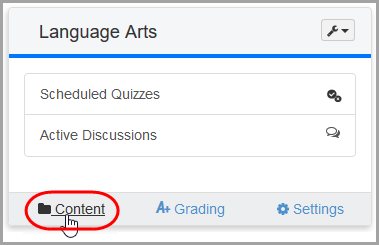
1.On the Dashboard screen, click Content on the course containing the activity you want to delete.
|
|
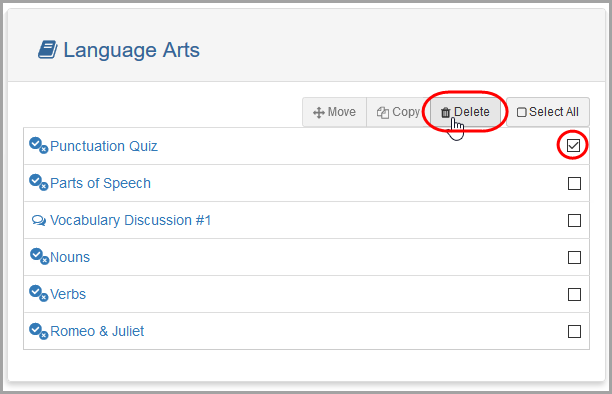
The Content screen displays.
2.Select the checkbox in the row of the activity you want to delete.
3.Click Delete.
|
|
The activity is now deleted from the Content screen. It remains in the Recycle Bin for the course, from where you can restore the activity at any time. See “Recovering Deleted Content.”
Note: If you click the  icon or the
  icon beside an assignment on the Class Dashboard to return to VirtualClassroom, a message displays on the activity’s Details screen indicating that it has been deleted.