
Setting Up Progress Code Values
Navigation: SpecialServices > Admin > Set up District Defaults
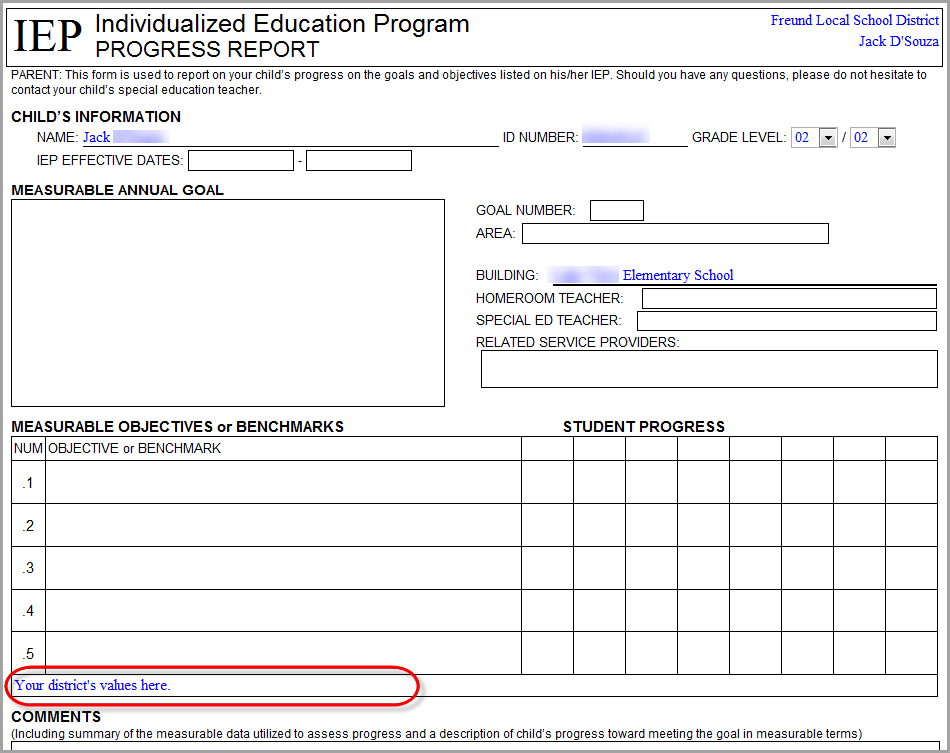
You can create default progress code text that displays on IEP and SP Progress Reports created prior to FY17. The default information you choose to display serves as a legend or key to aid teachers in entering the progress codes required by your district.
1.On the Set up District Defaults screen, in the Value column, enter the default progress codes for each type of progress report.
2.Click Save Defaults.
The Save Successful message displays.
The default values display on the Measurable Annual Goal section or the Measurable Objectives or Benchmarks section of the associated progress report.
Note: When creating a progress report as a new task, users can change or delete the default values. When creating a progress report from an existing task, the progress code values are copied from the previous task.