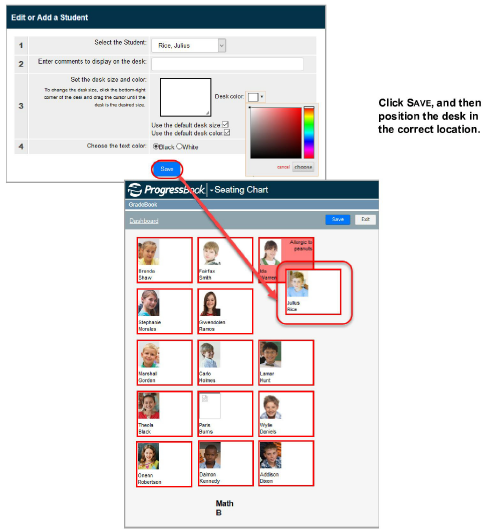
Add a Student to the Seating Chart
Make sure the student you want to add to the seating chart is on your class roster first.
1.On the Class Dashboard, click Seating Chart.
2.On Seating Chart screen, click
on the toolbar.
3.On the Edit or Add a Student screen, in the Select the Student field, select the student.
4.Click Save.
5.On the Seating Chart screen, move the desk to the desired position on the seating chart.
|
|
6.Click Save.
7.Click Exit.