|
|
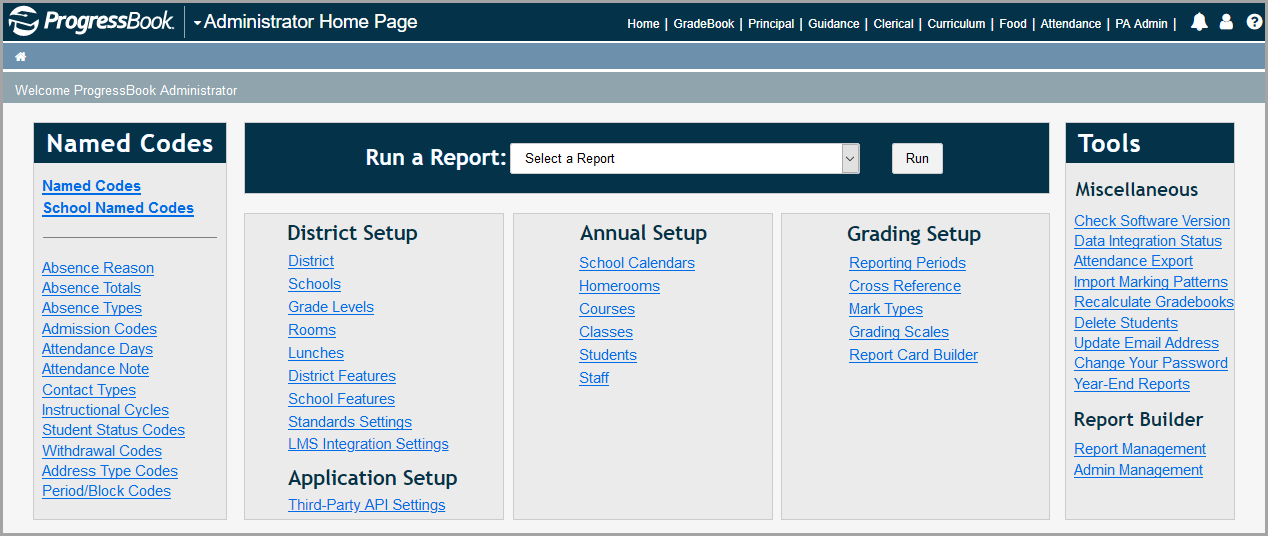
The purpose of this guide is to assist GradeBook users with master or school administrator privileges in setting up and maintaining their GradeBook system. The chapters in this guide provide reference and procedural information about system functionality beginning with the tasks you need to perform the first time you set up your system, such as named codes, school calendars, reporting periods, mark types, and grading scales. In continuing to prepare your system, you can find information on setting up and maintaining rooms, courses, classes, and student and staff accounts.
Note: Most staff account management must be completed in StudentInformation. See the ProgressBook StudentInformation Security Guide for more information.
In addition, this guide contains an explanation of proper attendance setup and its impact on the display of attendance totals on report cards as well as procedures for creating report cards in the Report Card Builder.
Finally, appendices in the guide include step-by-step examples for creating both traditional and standards-based report cards.
|
|
Note: The Report Builder section with links to Report Management and Admin Management display in the Tools area only if you have both a master role in GradeBook and a report administrator role in ReportBuilder.