 displays on the right side of the screen.
 View a RIMP on the Student Roadmap Screen
1.On the Student Roadmap screen, in the RIMPs section, in the row of the RIMP you want to view, hover your cursor until displays on the right side of the screen.
2.Click  .
.
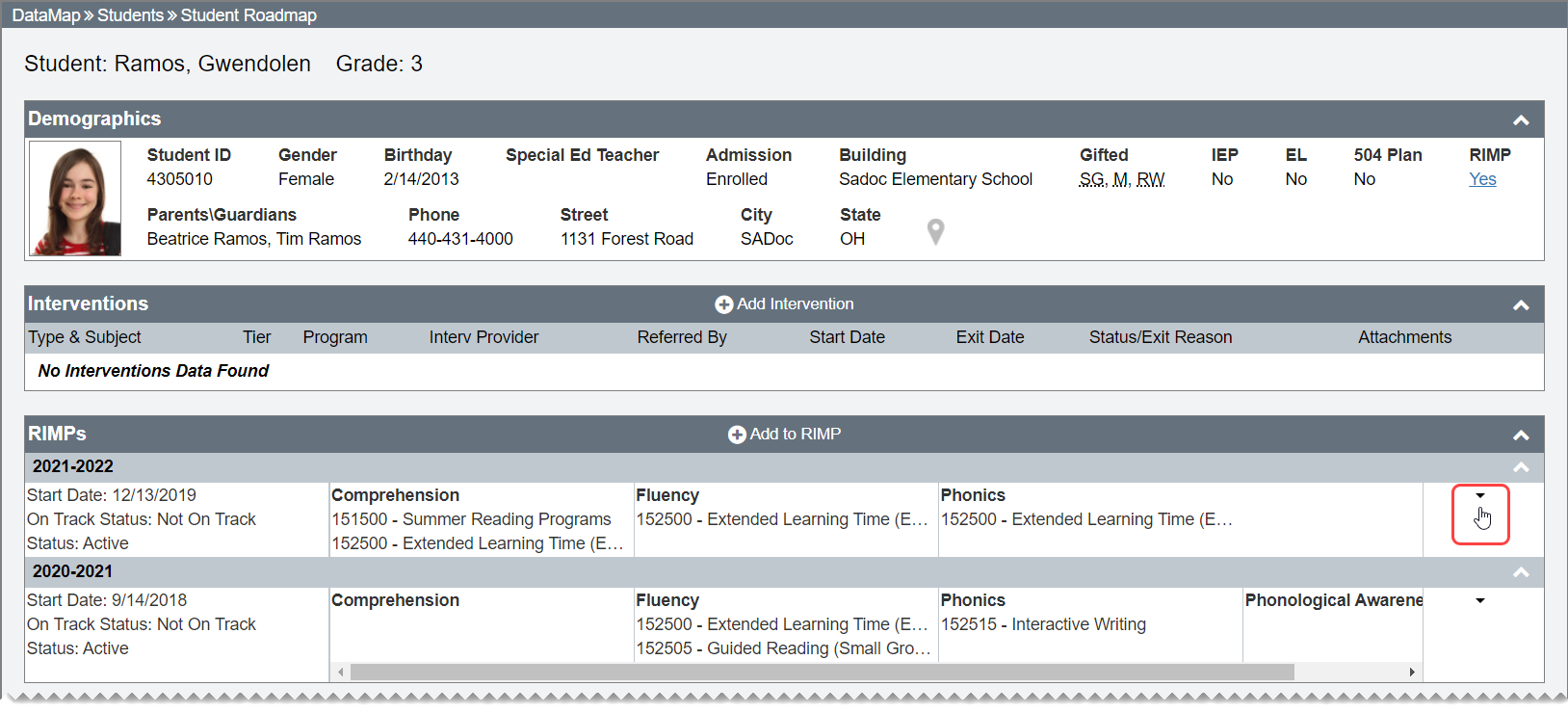
3.In the drop-down list that displays, select View/Edit.
The Edit Student RIMP screen General tab displays.
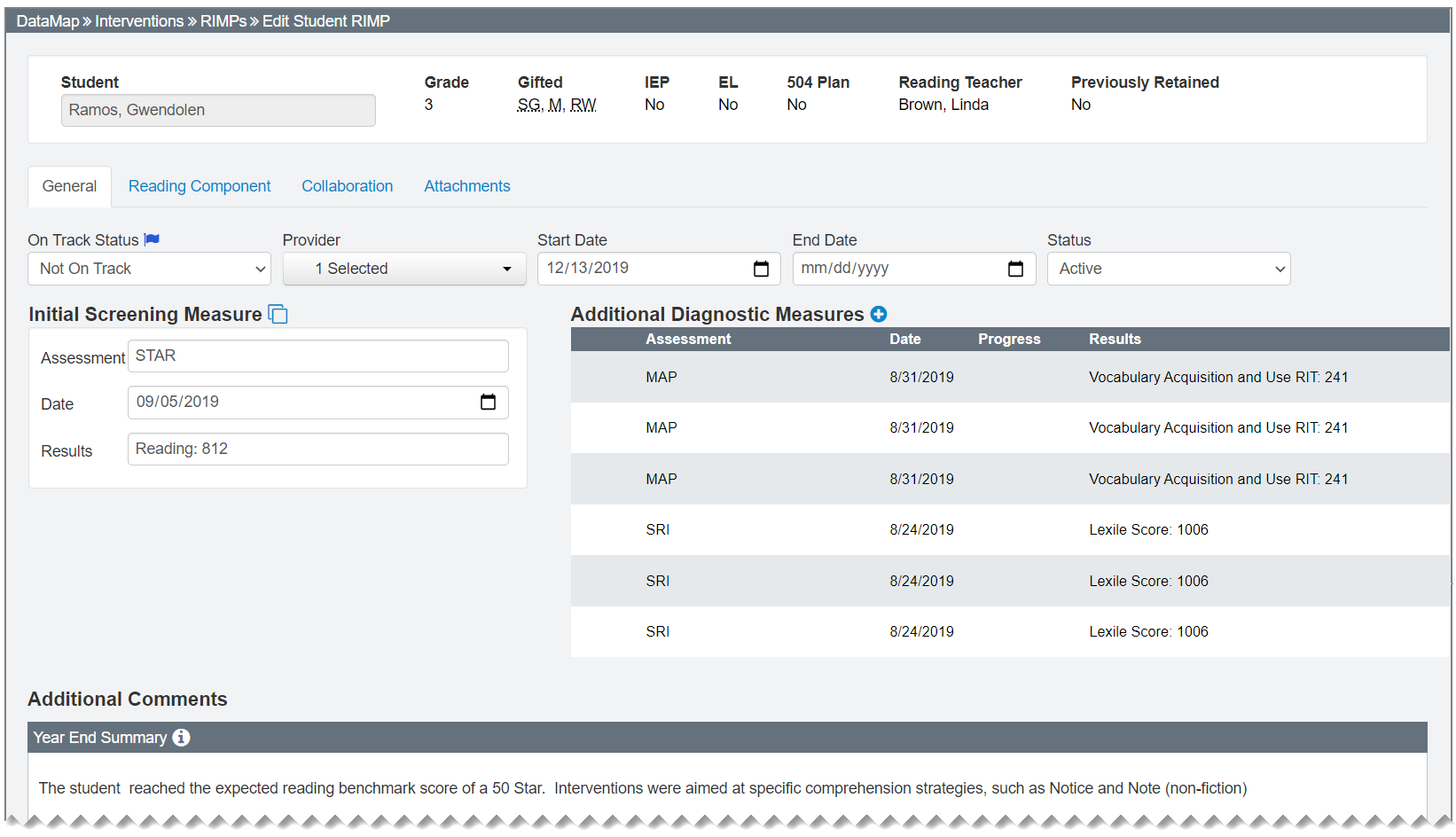
Note: For information on editing RIMPs, see “Edit a RIMP.”