.
.Add a Progress Monitoring Measure to a Reading Component
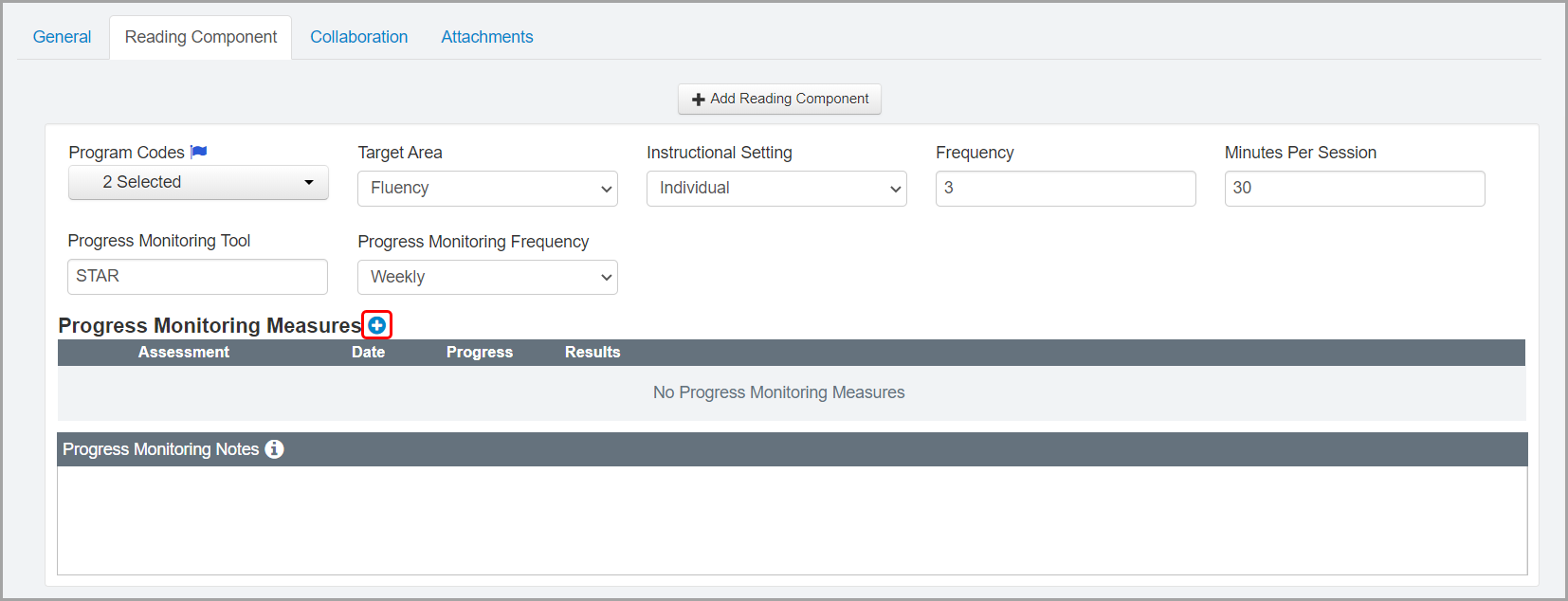
1.On the Edit Student RIMP screen Reading Component tab, in the area of the reading component to which you want to add a progress monitoring measure, beside Progress Monitoring Measures, click .
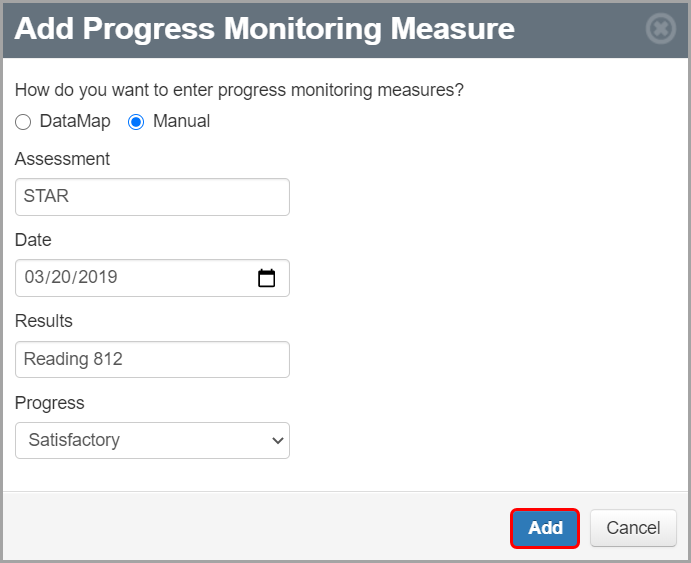
2.On the Add Progress Monitoring Measure window that opens, select the radio button beside your desired method (DataMap or Manual) for adding a progress monitoring measure.
3.If you selected DataMap in step 2, in the Assessment drop-down list, select the appropriate assessment. If you selected Manual, enter the name of the Assessment in the field.
4.If you selected DataMap in step 2, in the Date drop-down list, select the appropriate assessment date. If you selected Manual, enter or select an assessment Date in the field.
5.If you selected DataMap in step 2, in the Results drop-down list, select the appropriate assessment results. If you selected Manual, enter the assessment Results in the field.
6.In the Progress drop-down list, select the student’s progress (Unsatisfactory, Progressing, or Satisfactory) on the progress monitoring measure.
The progress monitoring measure displays on the Edit Student RIMP screen Reading Component tab in the Progress Monitoring Measures grid.
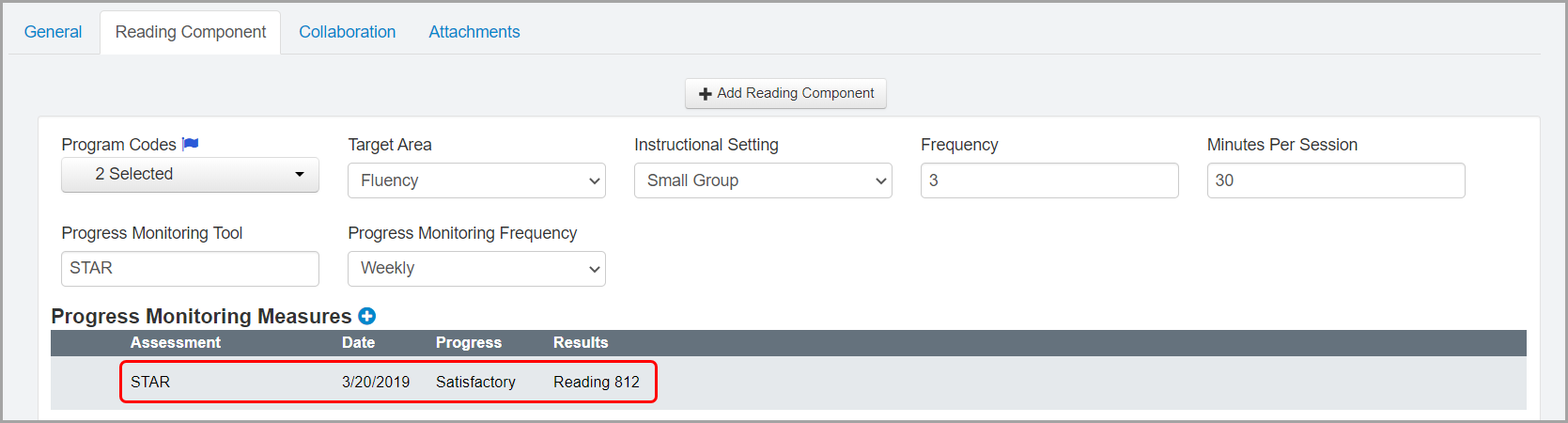
Note: Progress monitoring measures display in descending order by date.
Note: If you entered or selected an assessment name that exceeds the width of the Assessment column in the Progress Monitoring Measures grid, the name is truncated and displays with an ellipsis (...). You can hover your cursor over the assessment name to view the full name.

8.Repeat step 1 through step 7 as necessary.
Note: To edit a progress monitoring measure, hover your cursor over the row of the measure you want to edit until icons display. Then, click  . On the Update Progress Monitoring Measure window that opens, make any necessary changes, and then click Update.
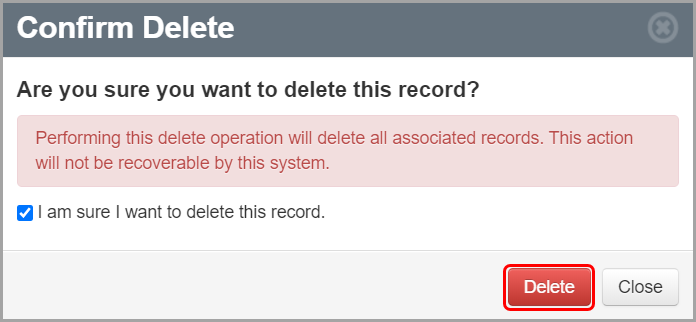
Note: To delete a progress monitoring measure, hover your cursor over the row of the measure you want to delete until icons display. Then, click  . On the Confirm Delete window that opens, select the I am sure I want to delete this record checkbox. Then, click Delete.